The command line
videoskillet is the app's engine with no browser around it, and it does two
things.
It renders a file. The command puts a look over a clip or a still on disk and writes ProRes 4444 that an editor can open.
videoskillet in.mp4 out.mov --look='<a link copied from the app>'
videoskillet photo.jpg out.mov --preset=wornTape --seconds=8
videoskillet out.mov --look='<a link that names its own source>'
It hosts the app. videoskillet serve puts the instrument on a local
address, with one source the hosted copy at videoskillet.com cannot offer: the
video-URL option, which fetches a clip with yt-dlp. See
Serving the app.
Every release carries both as a single executable, so neither needs a checkout
or a toolchain. From a clone the same program is pnpm render, which takes the
same arguments. Substitute it for videoskillet in the examples on this page.
The renderer bundles the app's own engine, so a look renders here the way it renders on screen. The editor covers how that bundle is built, and what a browser's encoder does to the chroma artifacts ffmpeg keeps. The app's ⎙ render button in the strip tray writes a file from the tab, and it is the one to use while performing.
Installing#
Take the binary, or run it from a clone. A render needs ffmpeg on PATH to decode and encode, ffprobe to read the input's length, and a GPU that Deno can reach, since the shaders execute on Deno's own WebGPU.
serve needs none of that. It wants yt-dlp
on PATH for the video-URL source, and nothing at all for the rest of the app.
The binary
The releases page carries one executable per platform, each holding the renderer, the engine and a Deno runtime:
tar xzf videoskillet-x86_64-unknown-linux-gnu.tar.gz
mv videoskillet-x86_64-unknown-linux-gnu videoskillet
./videoskillet in.mp4 out.mov --preset=vhs
Linux and macOS are built for x86_64 and aarch64 and ship as .tar.gz; Windows
is x86_64 and ships as a .zip holding a .exe. SHA256SUMS beside them
covers every archive. A download is around 30 MB and unpacks to about 100 MB,
most of it the runtime.
From a clone
git clone https://github.com/cmdcolin/videoskillet
cd videoskillet
pnpm install
pnpm render in.mp4 out.mov --preset=vhs
Node and pnpm build the engine bundle and Deno runs it.
pnpm render rebuilds the bundle on every run, so the first one takes a few
seconds longer.
Render from a clone to test an edit you are making. A binary carries the engine it was built with.
Building a binary
pnpm render:compile writes bin/videoskillet for the machine it runs on.
deno compile cross-compiles, so
node scripts/render/compile.mjs --all --out=dist-bin builds every platform
from any one of them. .github/workflows/release.yml calls the same script on a
version tag, which is where the release archives come from.
Serving the app#
videoskillet serve
videoskillet serve --port=9000 --open
serve hosts the instrument at http://127.0.0.1:8787/app/ and prints the
address. It serves the production build carried inside the executable, so it
needs no network.
The video-URL source fetches a clip from any site yt-dlp has an extractor for.
It appears when yt-dlp is on PATH, and serve reports a missing one at
startup. The server tells the page what it can do with a
<meta name="videoskillet-bridge"> tag, and pnpm dev writes the same tag, so
a dev server offers the same option.
| Flag | Meaning |
|---|---|
--port=<n> | which port to listen on; default 8787 |
--host=<addr> | which address to bind; default 127.0.0.1 |
--dir=<path> | serve a build from disk instead of the embedded one |
--open | open the app in the default browser once it is up |
The server answers this machine alone by default. --host=0.0.0.0 opens it to
the network, which is how a phone or a second machine reaches it.
Clips fetched through the bridge are cached under $TMPDIR/videoskillet-yt,
keyed by address and range, so the same URL opened twice downloads once.
From a clone the command is pnpm serve, which hosts whatever pnpm build last
wrote to dist/.
Example renders#
pnpm render:docs regenerates the figures below, grabbing a frame late in each
take. It keeps the still and discards the clip, which is the repo's rule for
megabyte-scale binaries; pnpm render:docs:keep also writes the clips to
renders/, which is gitignored.
A published link#
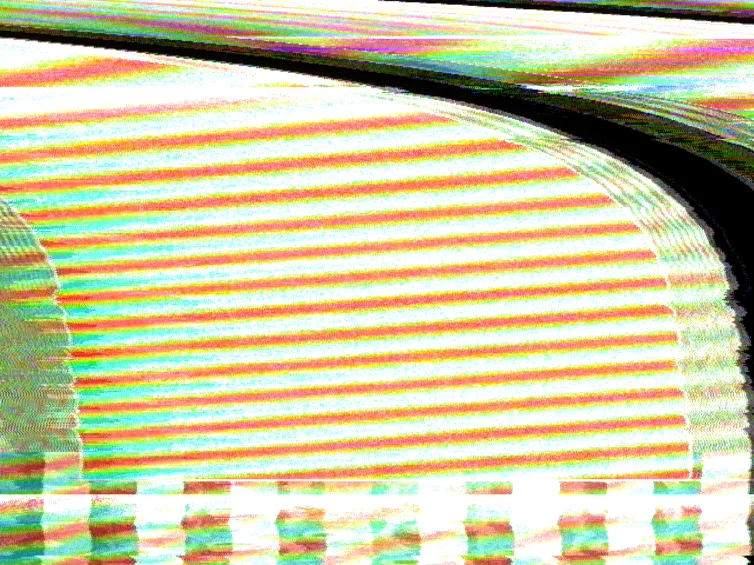
videoskillet out.mov --look='https://videoskillet.com/app/?p=je.CoDoBwEEAbAEAKwCAfABAKCZAgXgAw2IIwSIAyFYBrAKEjwGmAEEuB4ZVADsBgr4OiSMCQDEAQDgAgAkAUQEBAAQA9wCAMXBAgCJngIAlf4DAI3tAw&mod=bendUs:lorenz:0.390279:0.27759,hvRing:sine:0.037599:0.090209&srcb=synth&src=sweep'
The figure is the README's Wiggity demo, rendered from the link as it is
published. The command passes no input, because the link names the sources
itself. The bend across the frame comes from the modulation bay, which the
renderer reads out of ?mod= with the app's own parser.
A photograph down a tape path#
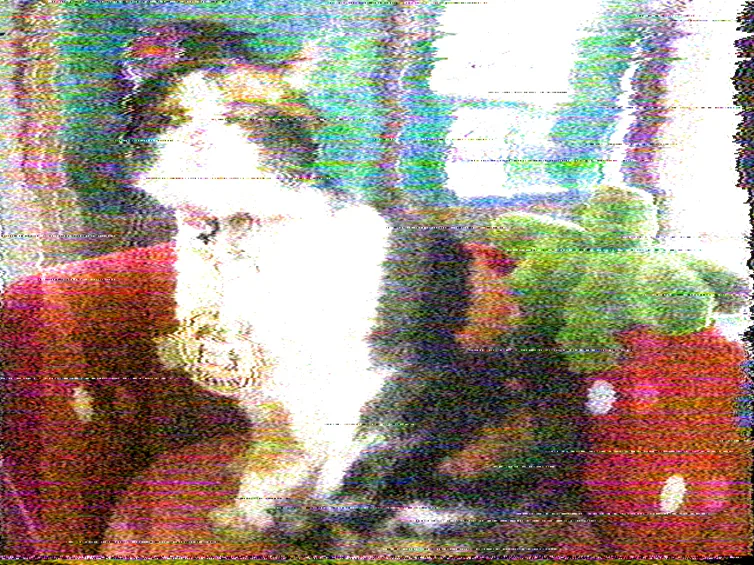
videoskillet public/sample.jpg out.mov --preset=wornTape --seconds=8
ffmpeg holds a still open for as long as the render keeps reading, so the frame stays put while the chain goes on moving: the chroma noise crawls, the dropouts land on different lines, and the tracking servo hunts.
A test pattern through a VHS deck#
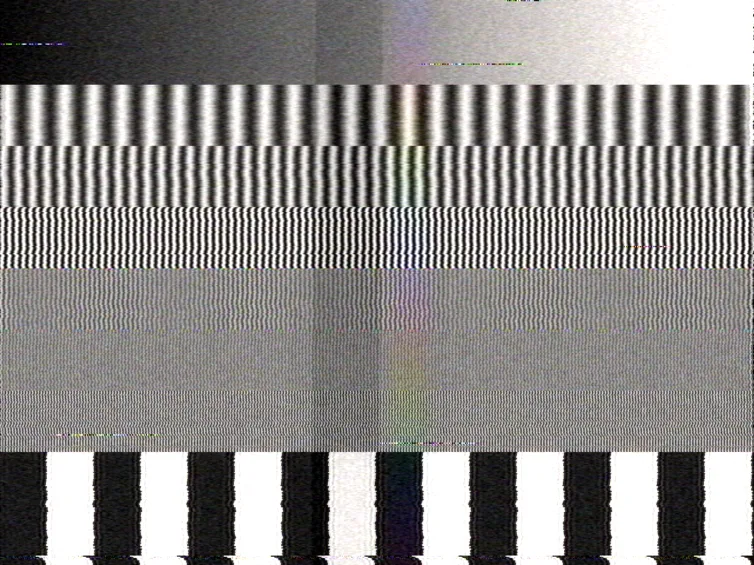
videoskillet out.mov --pattern=sweep --preset=vhs --seconds=2
The sweep pattern stacks gratings at 0.5, 1, 2, 3, 4.2 and 5 MHz. Through a VHS deck the bottom two survive at full contrast, the middle two fade, and the top two wash out to flat grey, which is the deck's luma bandwidth.
Render options#
| Flag | Meaning |
|---|---|
--look=<url> | a whole address bar copied from the app |
--preset=<name> | a built-in preset by name |
--set=<k:v,…> | individual controls, applied over the above |
--seconds=<n> | how much to render; default is the input's length |
--fps=<n> | output rate; default 60, the simulation's own rate |
--seed=<n> | random seed; the same seed gives the same file |
--motion=<0..1> | the modulation bay's master amount |
--bpm=<n> | tempo, for routings locked to a clock |
--pattern=<name> | bars, sweep or none, overriding the link |
--codec=<name> | prores, dnxhr, ffv1, h264 or preview |
--audio=<mode> | auto, buzz, source or none |
--audio-file=<p> | the track driving the artifacts, when not the input |
--quiet | no progress line |
--look reads the link with the app's own parser, so the board, the modulation
bay, the source mode, the caption and the seed all arrive together. Every
control name is in Effects.
prores is the default and the codec to cut with. h264 writes High 4:4:4
Predictive, which x264 encodes and no browser does, so the file stays small and
keeps its chroma; some players decline the profile. preview writes 4:2:0 High
with the index at the front, which opens anywhere.
Audio#
The artifacts move with the input's sound, so the same look renders differently over silence. Features lists which band drives what.
--audio=auto is the default: the input's track goes in, and the set's
intercarrier buzz comes back out beside it when the look asks for one.
Two renders of one take produce the same file, sound included. --seed fixes
the random sequence, the render supplies its own clock, and each audio window is
cut at the frame being rendered.
As a pipe stage#
A - in place of the input or the output carries frames as raw RGBA on stdin or
stdout, so the renderer sits inside somebody else's ffmpeg pipeline:
ffmpeg -i in.mkv -vf "crop=1440:1080,yadif" -s 754x480 -pix_fmt rgba -f rawvideo - \
  | videoskillet - - --preset=vhs --audio-file=in.mkv \
  | ffmpeg -f rawvideo -pix_fmt rgba -s 754x480 -r 60 -i - -c:v prores_ks -profile:v 4 out.mov
Every format, filter and encoder ffmpeg has is then reachable. Either end works
alone: videoskillet in.mp4 - decodes normally and writes frames out, and
videoskillet - out.mov takes frames in and encodes as usual.
Raw video carries no header, so -s 754x480 -pix_fmt rgba on both ffmpeg
commands is the whole contract, and the renderer reports a stream that does not
match it. A raw stdin has no length to ask ffprobe for either, so the render
runs until the stream ends; --seconds still cuts it short. The progress line
and the summary go to stderr, because stdout may be carrying the picture.
A pipe carries no sound. A raw stdin has none, and a raw stdout has no container
to put a track in, so a render that ends in a pipe writes the picture alone.
--audio-file still drives the artifacts from the same clip ffmpeg is reading;
mux the sound back on in the last ffmpeg if you want it in the file.
Output#
The last argument is the output path, and its extension picks the container:
.mov for ProRes, .mp4 for the H.264 codecs.
Length comes from the input. A clip renders for as long as it runs, --seconds
overrides that, and a source with no inherent length — a still, a pattern, a
link naming the synth — renders ten seconds by default.
Limitations#
- One board per render.
--looksets a single board for the whole render, while the strip tray holds a sequence of them. Perform a sequence in the app and export it with ⎙. - Local sources only. The renderer reads its source from disk and fetches nothing, so a link naming a clip or an archive pick renders over whatever file the command line passed.
Editor: how the export half is built · User guide: driving the app · Effects: every control