User guide
Everything past Getting started.
Presets and looks#
Click a preset to jump to it. Drag it sideways to blend it part-way in.
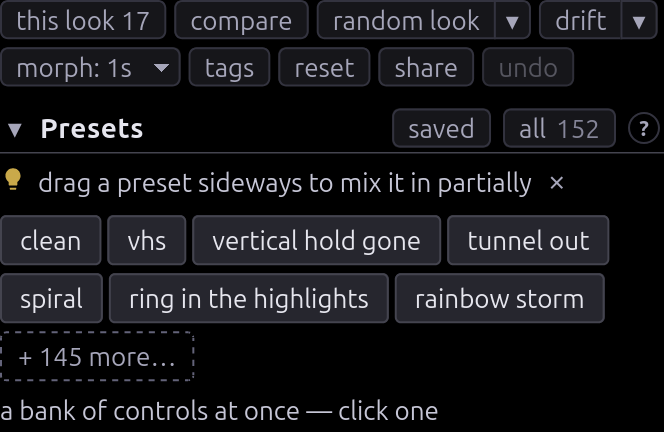
- random nudge keeps your look and moves it a little: everything already
doing something, plus a few controls that weren't.
shiftfor wilder,altfor gentler,ctrl/cmdfor a wreck. random look stacks a few presets instead. - random motion leaves every slider where it is and re-patches the
modulation bay onto controls this look uses. Same modifiers, with
ctrl/cmdgiving a bay that never settles. - drift runs the random nudge unattended: a gentle nudge every 15 seconds, travelling most of the way each time. Every stage heading carries the same switch for that stage alone.
- morph sets how long a new look takes to arrive: cut, 1s, 4s, 8s or 30s. Rolls chain, so rolling every few seconds wanders continuously.
Sources#
Pick each source at the head of its stage: A on SOURCE A, B on SOURCE B, sound on SOUND. A takes bars, sweep, snow, the bundled photo, a file, a shared screen or a webcam. B takes the same list plus Off, and is deliberately not genlocked, so it beats and tears against A. Its controls are in Mix.
Video file URL… plays an .mp4 or .webm from its address, and needs a
server that allows cross-origin reads; without one the clip plays and the
picture stays black.
The A pause slider in Source A freezes the picture while the tape runs on underneath, with servo damage and a mistrack stripe. ❚❚ stops the tape itself.
Working down the chain#
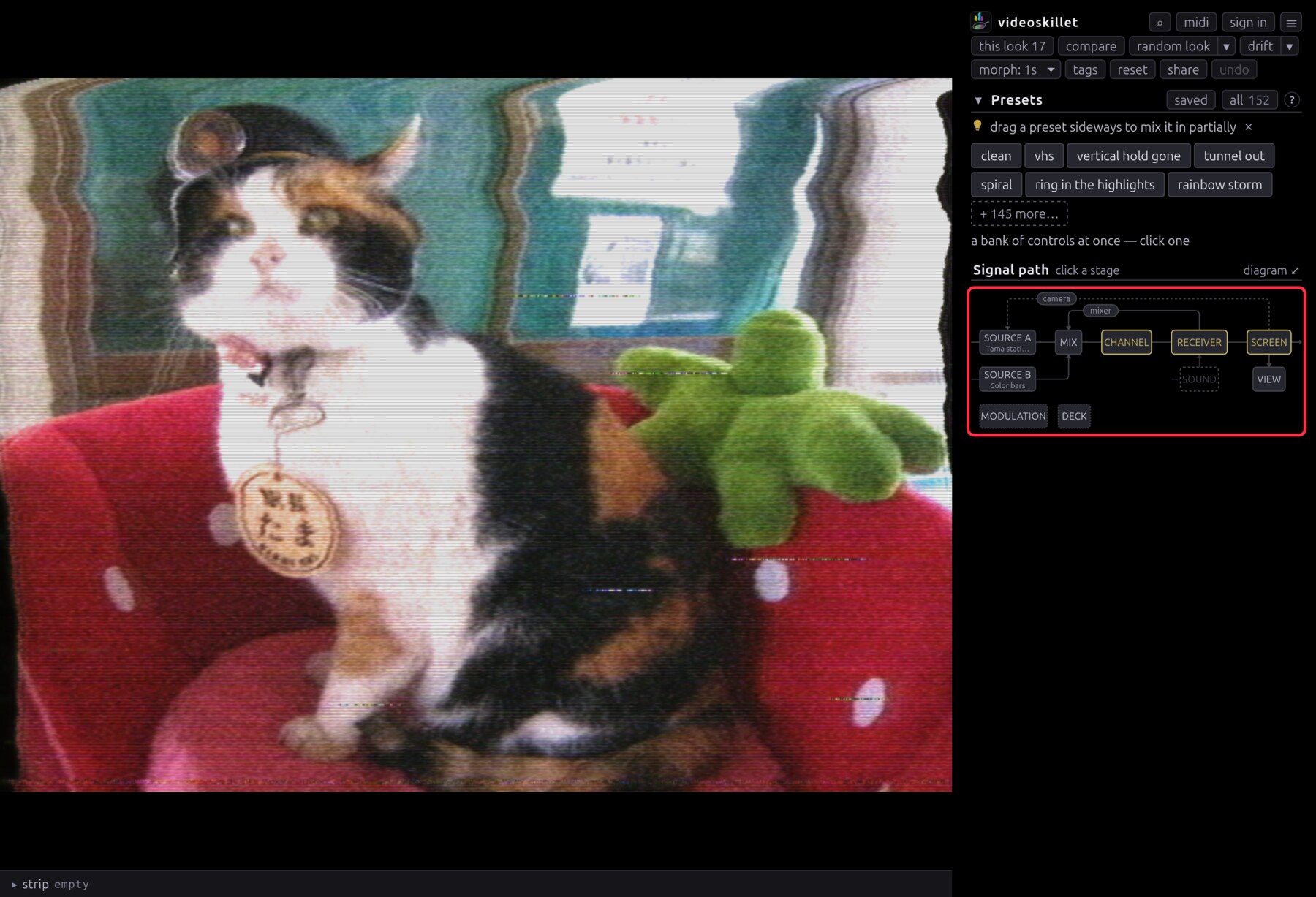
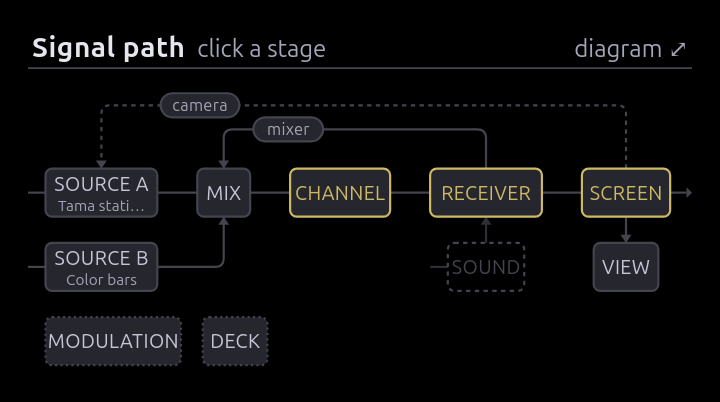
The map at the top of the sidebar is the signal path, and every box is a button. Amber marks a stage you've moved something in. The wires arcing over the trunk are the feedback loops (camera, mixer), and the chip on each one is that loop's button.
at stock, on the tinted strip carrying a stage's name, holds that one stage at stock while the rest of the look stays where it is, so you can find which of several faults is making the artifact.
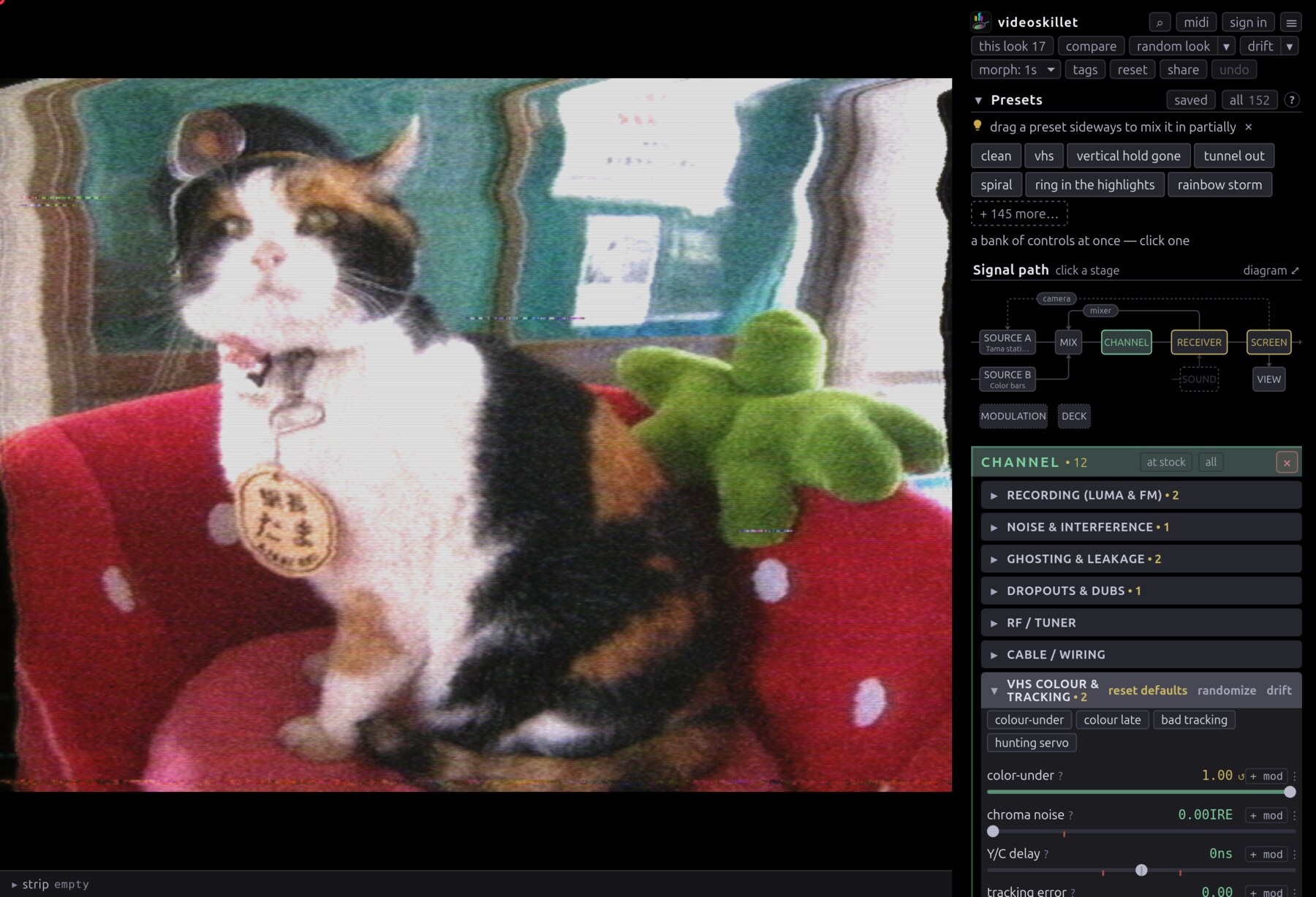
? on any slider explains the fault that control models, and both the filter
box (/) and the ctrl+k palette search that help text, so you can hunt an
artifact without knowing which knob makes it.
Some rows also carry a minor button, which opens a card covering a small window around the row's current value — ±0.28 µs on loop delay and ghost delay, ±100 Hz on osc A and osc B, ±2 Hz on vertical osc — so a drag there reaches settings the row's track steps straight over.
The loops are the exception to working left to right. They take the picture off the end and put it back at the front, compounding everything else. Here is a camera aimed slightly off-axis from its monitor, over a tape dropping out underneath:
Making it move#
+ mod on a control row patches a slow sine drift onto it and unfolds an editor where you pick the source and dial the rate and depth. Depth is a fraction of the control's range, and the slider stays put as the centre the motion happens around, which is why a preset or a link still holds the look.
edit in the bay opens the MODULATION box on the map, which has the full editor under each routing and the tempo at its top. Type or tap a BPM there, then tie any rate to it with ♩ lock to beat. MIDI clock takes over whenever something sends it. See MIDI.md.
stabs flip the board back to clean in bursts, 60ms by default and anywhere from 8 to 400, so the look cuts into a clean picture. Phosphor and both feedback loops keep running through the flip, so a stab leaves a trail.
Sound is where audio patches in. Bass lurches the frame and level tears line hold, so pick something under ♪ first: the mic, a file, the clip already on screen, or system audio, a share of the tab or app this machine is playing out of. A share arrives silent unless you tick Also share tab audio, and not every browser sends audio through a share at all; Chrome does.
The set's own intercarrier buzz, the picture arriving on the audio line, sits under that picker and is the one thing in the app that comes out of your speakers. It starts silent, because a preset, a link or a random roll can raise either of its two level controls — sound buzz under Channel · Ghosting & leakage and fine tuning under Channel · RF / Tuner. Switch it to buzz out loud and the app remembers that between visits.
Playing a piece#
The strip tray along the bottom of the window is a rundown: a list of looks the app plays in order. Set the board up, press + row, and do it again. ▶ play walks the rows from the top, and clicking a card fires only that row.

A row is the session the address bar carries — the look, the modulation bay, the source and its cue — plus how long it holds and how it arrives, which the chips along its foot set. ≈4 bars lands anywhere within a quarter of the count either way, and 4 bars with the drift off is the exact lock. Bars come from the tempo, tapped or off MIDI clock, so a rundown follows the music. Every random choice a rundown makes draws from the seed, which the tray prints.
Keeping what you find#
saved is your library, kept on your account, so it needs a sign-in. A recall brings back the controls and the motion and leaves your input alone. The privacy page lists what the account holds.
The link carries the look#
The address bar carries the whole look at all times — every control off stock, what is moving in the bay, the source and its cue — so copying it is the share button and reloading keeps what you had.
A pattern, a text card and a pasted video address go into the link whole, and an archive clip goes in as its identifier. A clip from your disk or your clip shelf cannot go in at all, since the reader has neither, so a link made on one opens on whatever else it names.
Here is worn tape, whole:
https://videoskillet.com/app/#p=mD.FbQBJbABEXAAmAIN8AEAPAKQAwDoAgCQAwBkAEgBwAIAgAEGwAIA6AIBCA&mod=
The app writes the look there as bytes, behind a two-character checksum, and
refuses a link that arrives truncated or with a character changed. #set=
spells the same look out by name, and the app reads and writes it too:
https://videoskillet.com/app/#set=noiseIre:9,hHold:0.2,chromaGain:1.79
The long form lets you program a look by hand: a control name from
EFFECTS.md, a colon, a number, commas between. The app reads
either sigil, so every one of these also opens spelled ?.
What the loops have built is in video memory, which the reader's page comes up with empty, so a link to a board that makes its picture out of the feedback opens black and stays there. start it with a burst of snow in the share box opens that link on a second and a half of snow for the loops to take hold of.
Looking closer#
Shift-drag a box on the picture to zoom, double-click to reset. The magnifier is part of the display, so it magnifies the lit tube face too — scan lines, mask and all.
signal tap in the View group steps through the composite waveform, luma, chroma energy, burst state, the scope, and back. scope is the one to try first. It lays a single line out left to right, sync tip and burst included, against an IRE graticule, where sync depth, setup, AGC pumping and a burst off 40 IRE are all readable.
Getting it out#
s saves a still and r records the picture as it plays. The recording is an
H.264 MP4 written at a constant 60, from whatever frames the tab managed, so a
run that dropped frames comes back playing fast.
⎙ render in the strip tray steps the engine on a virtual clock, so the timing in the file is the simulation's and an editor imports it cleanly. ● rec records the hands rather than the picture — every slider, preset, controller knob and morph, against the frame it happened on — and ⎙ replays that at 60.
pnpm render, with the project running locally, is the one to use when the
colour matters. It writes ProRes 4444, where a browser's 4:2:0 encode loses most
of the dot crawl and rainbow fringing. CLI covers it.
pop out controls in the ☰ menu moves the panel to a second window, so OBS can capture the picture window alone.
Camera#
The camera page at /cam/ puts a phone's camera through the set. It shows the
picture, a strip of looks and a shutter, and nothing from the panel. A phone
opening the home page gets Open the camera as its first button, and
camera in the ☰ menu reaches the page from the app.
- Start camera asks the browser for the camera. Once the browser has said yes, the page opens the camera by itself on later visits.
- The strip holds a short list of presets, most of them feedback loops that move the picture only a little each lap. Pressing the look that is on shows its strength, and random picks another loop of that kind. On a loop the strength opens the loop's mix and leaves its gain alone, so the bottom of the slider gives echo trails and the top gives the look building on itself.
- Holding a finger on the picture shows the camera without the look. Swiping across it steps to the next or previous look on the strip.
- On a look that keys its loop by colour, such as it only eats the red or the face stays out of it, a tap on the picture moves the key to the camera's colour under the finger.
- The round button on the picture's corner lets the phone steer the loop. The phone stands in for the feedback camera: turning it turns the loop, and tipping it moves where each lap lands. On a loop with no camera in it, turning the phone trims the delay, which slides the echoes and turns their hue. A turn fades back over a few seconds, so a hand that holds still gets the look as tuned, and no turn takes a loop past a degree of spin or 2% of shift per lap.
- PHOTO takes a PNG still and VIDEO records an MP4. The thumbnail beside the shutter opens the phone's share sheet, which is where Save Image and Save Video put the file in the photo library. A browser without a share sheet downloads the file.
- The button with the turning arrows switches between the front and back cameras. The front camera is mirrored at the source, before the encoder, so a ghost or a smear still trails to the right the way a set draws it.
- A phone held upright stands the set on its side, the way an arcade cabinet mounts its tube, so the camera's tall picture fills a 3:4 screen whole. The scanlines run down the glass, a rolling picture slides sideways, and stills and videos come out tall.
- The microphone switch lets the room's sound into the set. A cheap set runs its audio amplifier off the same supply as the scan, so each kick drum loads the supply and the picture jolts and rings back. A look that already works the supply harder keeps its own settings. While the switch is on, VIDEO records the sound with the picture, as AAC where the browser can encode it and Opus where it cannot.
- The cassette on the picture's other corner mixes the other camera in. The camera on screen goes to source B and the other one comes on screen, and the strip leads with looks that mix them: a double exposure, the camera keyed into the scene, a picture-in-picture, two keys and two cameras with no sync between them. Point the back camera at a scene, press it, and the front camera puts you over the scene. A phone that runs both cameras at once keeps both live, and the flip button then swaps them between the screen and B. On a phone that cannot, the page records four seconds of the camera on screen to a tape and loops it on B, the way a studio rolled a deck into a mixer's second input. The page asks each phone once and remembers the answer. Pressing the cassette again takes the second picture off.
- all controls opens the app on the same preset, asking for the camera again.
Keyboard#
| Key | Action |
|---|---|
ctrl/⌘+k | command palette |
/ | filter the controls |
c (hold) | preview the clean signal |
r / s | record a clip / save a still |
f | fullscreen |
i | cue a clip · press again to loop from there · +shift for source B |
o | stab back to the cue · +shift for source B |
t | strike every one-shot envelope in the bay |
d | set the whole board drifting · press again to stop where it got to |
ctrl/⌘+s | save this look to your library |
1–9 / shift+1–9 | recall / overwrite one of your first nine saves |
ctrl/⌘+z | step back a look · +shift or ctrl/⌘+y steps forward again |
esc | close a dialog, cancel a MIDI arm, clear the filter |
Features: everything it can break · Effects: every control · MIDI: setting up a controller · How it works: the code